Twitter Login Now Available
You've always been able to log in to Fingerjigger using your Google account but now the options have increased 100% with the arrival of Twitter login support!
To keep track of your typing stats and scores, simply log in to Fingerjigger using your preferred choice of login provider, be that Twitter or Google.
The first time you log in via Twitter you'll see a request for authorisation that looks like this:
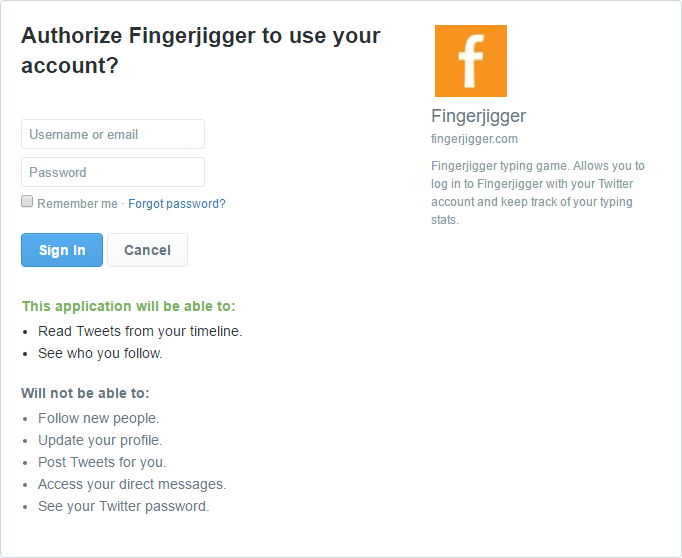
You can see from the screenshot above that Fingerjigger asks for as few permissions as possible - this is what Twitter calls its "read-only" permission. This is the most limited level of permissions that Fingerjigger can ask for, and it means that it can't post tweets or see your direct messages. All Fingerjigger wants to be able to do is to recognise you and log you in - that's it.
And of course, if you'd rather not log in at all, that's fine too - you can play without a login at any time.
Simples!